
What Are the Most Common Post-Purchase Mistakes Small Ecommerce Stores Make?
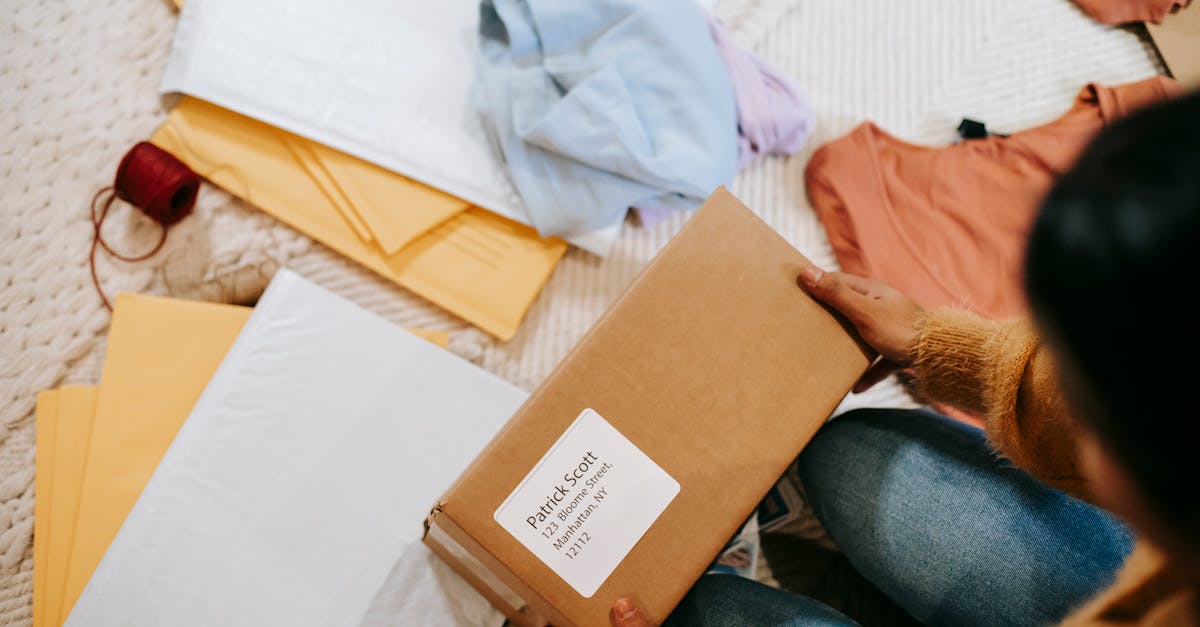
The Most Common Post-Purchase Mistakes Small Stores Make
Small stores usually get post-purchase wrong in a few predictable ways. They send one shipping email, hand customers off to a carrier site, leave order status vague, split updates across too many places, and wait for support emails instead of preventing them.
That gap matters more than it looks. A customer can complete checkout in your OpoShop store and still feel unsure an hour later if the next steps are not clear.
If you want to check whether your current flow has these issues, review every step from confirmation to delivery as if you were the customer.
What Is the Post-Purchase Experience?
The post-purchase experience is everything a customer sees after checkout until the order arrives. That includes the confirmation page, confirmation emails, shipment tracking, carrier updates, delivery status, and any support contact along the way.
Shipment tracking is only one part of it. The full post-purchase experience is the whole communication layer around the order.
That distinction is where small stores often get stuck. They think sending a tracking number means the job is done. It is not. Customers want proof that the order is moving, a simple place to check status, and a clear sense of what happens next.
If you sell on OpoShop, the storefront and checkout already feel like your brand. The post-purchase flow should feel the same way, not like a handoff to a generic carrier page that looks nothing like your store.
Why Post-Purchase Mistakes Matter More Than Small Stores Expect
Post-purchase mistakes hit trust, repeat buying, and support workload all at once. That is why they hurt small stores more than expected.
A customer does not stop judging the brand after payment. A customer keeps judging the brand while waiting for the package, checking updates, and deciding whether the store feels reliable.
This is where trust drops even when the order was placed successfully. The payment went through, but the customer cannot tell what is happening next. That uncertainty creates more support emails, more manual replies, and more second-guessing about ordering again.
For independent merchants, this gets expensive fast in time, not just money. You are often the one packing orders, watching carrier scans, and answering inbox messages yourself. If your OpoShop store sends customers into a confusing tracking flow, you end up doing the cleanup by hand.
The sale is not the finish line. Delivery confidence matters too.
How to Spot Post-Purchase Problems in Your Store
You can spot post-purchase problems by looking for confusion between the shipping confirmation and delivery. The signs are usually easy to find.
Start with your support inbox. Look for repeated questions like "where is my order?", "has this shipped?", "which carrier has it?", or "why does the tracking page look different from your site?" Those questions tell you the order updates are not doing enough on their own.
Then check the actual flow in your OpoShop store from the customer's side. Place a test order, open the confirmation email, click the tracking link, and see where the customer lands. If the experience jumps from your brand to a carrier page with limited context, the gap is real.
Use this quick audit:
A weak flow leaves customers guessing. A strong flow answers the next question before the customer has to ask it.
Weak: "Your order has shipped. Track here." Stronger: "Your order is on the way. Check live carrier updates, current shipment status, and your delivery progress in one branded tracking page."
The Best Ways Small Ecommerce Stores Handle Post-Purchase Communication
The best post-purchase setups give customers one clear place to check the order. That is the difference between shipment tracking and a real post-purchase system.
Most small stores use one of three approaches:
| Approach | What the customer gets | Where it breaks |
|---|---|---|
| Shipping email only | A confirmation that the order shipped | No easy place to return for updates, so customers email support |
| Carrier-site tracking | Real carrier updates on the carrier's page | The brand experience disappears, and customers bounce to a generic site |
| Branded tracking page | One on-brand page with live updates and order context | Works best when it is set up clearly and linked from every post-purchase message |
Shipping emails are useful, but they are not enough on their own. Customers do not want one update. Customers want a reliable place to return to.
Carrier pages solve one problem and create another. Yes, carrier pages show scans. But carrier pages are not built to support your ecommerce customer experience, your brand presentation, or your support ticket reduction goals.
A branded tracking page keeps the update flow inside your world. That matters even more for EverBee stores and OpoShop merchants shipping with multiple carriers, because customers should not have to figure out which carrier matters for which order. They should just open one private per-order link and see the current status.
If your store is sending customers to carrier pages or handling too many tracking questions manually, a branded tracking page can simplify the experience.
The Most Common Post-Purchase Mistakes Small Ecommerce Stores Make
The most common post-purchase mistakes are not dramatic. They are small gaps that compound.
Treating shipping as the end of the customer relationship
Shipping is not the end of the customer experience. Shipping is the part where customers start paying close attention.
A lot of small stores put all the effort into product pages and checkout, then go quiet after the order is placed. That silence creates doubt. Customers want confirmation, progress, and clarity until delivery.
Sending customers to generic carrier pages
Generic carrier pages break the branded moment. They also make the store feel less polished than it did five minutes earlier.
This is one of the biggest misses in ecommerce operations. Your customer buys from your store, trusts your checkout, then gets pushed to a page that looks unrelated to your brand. Even if the carrier updates are accurate, the experience feels disconnected.
Relying on one shipping confirmation email
One email is not a full communication system. It is a starting point.
Customers lose trust after checkout when the first email gives a tracking number but not enough context. If the carrier has not scanned the package yet, the customer sees little or no movement and assumes something is wrong.
Making order status unclear
Unclear status language creates support tickets fast. If customers cannot tell the difference between order confirmed, label created, in transit, and delivered, they fill in the blanks themselves.
That is where small stores get buried in avoidable messages. The customer is not asking for special treatment. The customer is asking for a clear read on the order.
Splitting updates across too many places
A confirmation page, a shipping email, a carrier page, and a support inbox is too many places. Customers should not have to piece the story together.
One place for order tracking works better. One place means fewer missed details, fewer repeat questions, and fewer moments where the customer wonders if the order is stuck.
Using support as the backup plan
Reactive support feels normal when the store is small. It also becomes a habit that does not scale.
If your answer to post-purchase confusion is "we'll reply when they ask," the system is doing too little. Good post-purchase communication removes the need for a lot of those emails in the first place.
Ignoring multi-carrier reality
Small stores often ship with different carriers as they grow. Customers do not care which carrier is involved. Customers care whether the update is clear.
That is why a branded tracking page with real carrier updates matters. It gives one simple front end, even when the shipping setup behind the scenes is mixed.
What We Recommend for OpoShop and EverBee Merchants
For OpoShop merchants and EverBee stores, the cleanest setup is one branded place for order tracking with live carrier updates and private order links. That gives customers a simple answer after checkout and gives your team fewer repetitive support tasks.
Keep the flow tight. Link customers from confirmation emails to a branded tracking page. Show real carrier updates there. Make the order status easy to read. Keep the page on-brand so the post-purchase experience still feels like your store.
You do not need a huge support team to do this well. You need fewer handoffs, clearer updates, and less guesswork.
Best answer: The best fix for most small stores is to stop treating shipment tracking as a single email or a carrier handoff. Set up one on-brand tracking experience alongside your OpoShop store so customers can check delivery progress on their own, see real carrier updates, and stay inside your brand from checkout to arrival.
If your current setup creates too much manual follow-up, the next step is simple. See how TrackNest helps OpoShop and EverBee merchants create a cleaner post-purchase tracking experience with branded pages, live carrier updates, and private order links.
FAQs
Why do customers ask for updates even after I send a shipping confirmation email?
Customers ask for updates because a shipping confirmation email does not answer every question after checkout. Customers still want to know if the package was scanned, where it is now, and when it is likely to arrive.
What happens after checkout that makes customers lose trust before delivery?
Customers lose trust when the time between checkout and delivery feels unclear. Silence, vague statuses, and generic carrier pages make the order feel less certain, even when fulfillment is moving normally.
What should customers see on a post-purchase tracking page to feel confident about delivery?
Customers should see current shipment status, real carrier updates, order details, and a simple delivery view in one place. A branded tracking page also helps the order feel connected to the store they bought from.
How do I reduce 'Where is my order' emails in my ecommerce store?
Reduce "where is my order?" emails by giving customers one clear place to check live updates on their own. A branded tracking page with private per-order links removes a lot of the guesswork that creates support messages.
Is a branded order tracking page worth it for a small ecommerce store?
Yes. A branded order tracking page usually pays off in fewer support tickets, a cleaner ecommerce customer experience, and more trust after the sale. For small teams, that means less manual follow-up and a more on-brand post-purchase flow.
Summary
Small post-purchase mistakes do not stay small for long. Poor communication, weak order tracking, generic carrier handoffs, and unclear statuses turn normal orders into support work.
The fix is usually straightforward. Give customers one on-brand place to check shipment tracking, show real carrier updates, and keep the post-purchase experience connected to your store.
If you want a cleaner setup that installs in minutes and keeps delivery updates inside your brand, start here.


